Getting started with Druxt
From an empty machine to a running fully decoupled Drupal and Nuxt site.
In this tutorial you will set up a complete Druxt site (a Drupal 11 backend and a Nuxt 2 frontend, connected by Druxt) running on your machine, and publish your first piece of content through it.
You'll use:
- The quickstart: the maintained starter repository that wires Drupal, Nuxt and Druxt together for you.
- The one-command setup: provisions a local throwaway Drupal (SQLite) with Druxt and OAuth pre-configured.
No prior Druxt knowledge is assumed. If one half of the stack is new to you, Drupal for Nuxt developers and Nuxt for Drupal developers fill in the other side's vocabulary. This tutorial works without them.
Prerequisites
- Node: 16 is the tested version, and the quickstart
scripts handle newer Node automatically.
node -vtells you what you have; nvm / mise users get the pinned version fromnvm use/mise install. - One of:
- A GitHub account, if you create the project from
the template button (the
gigetpath below needs none).
If you'd rather watch the pieces being assembled by hand, the quickstart repository README documents every step this tutorial automates.
Step 1: Create your project
Use the Use this template button on github.com/druxt/quickstart to create your own repository from the starter, then clone it locally.
If you prefer the terminal, giget does the same in one line:
npx giget@1 gh:druxt/quickstart#develop my-druxt-site
cd my-druxt-site
(giget@1 is the last major that runs on Node 16; #develop is the
template's default branch. The homepage one-liner adds --install, which
runs the next step's setup for you; skip Step 2's setup command if you
used it.)
Outcome: you are inside your project root, and it contains a drupal/
directory (the backend) and a nuxt/ directory (the frontend).
Step 2: Set everything up
From the project root:
npm run setup
This one command:
- installs the frontend dependencies,
- provisions a fresh Drupal site with the Drupal Druxt module, Simple OAuth and an OAuth consumer (SQLite, throwaway),
- starts the backend, and
- writes
BASE_URLandOAUTH_CLIENT_IDto.env.
Outcome: the setup script prints a series of PASS lines and ends with
the backend marked as running. Your .env file now contains a BASE_URL
pointing at http://127.0.0.1:8888 (or the next free port; the script
picks one and prints it).
Step 3: Start the frontend
npm run dev
Outcome: two services are now running:
| URL | What it is |
|---|---|
| http://127.0.0.1:8888, or the port setup printed | Drupal (backend) |
http://localhost:3000, or the port npm run dev printed | Nuxt (frontend) |
Open http://localhost:3000 (or the next free port, printed in the terminal). The page you see is rendered by Nuxt, and it looks like this:
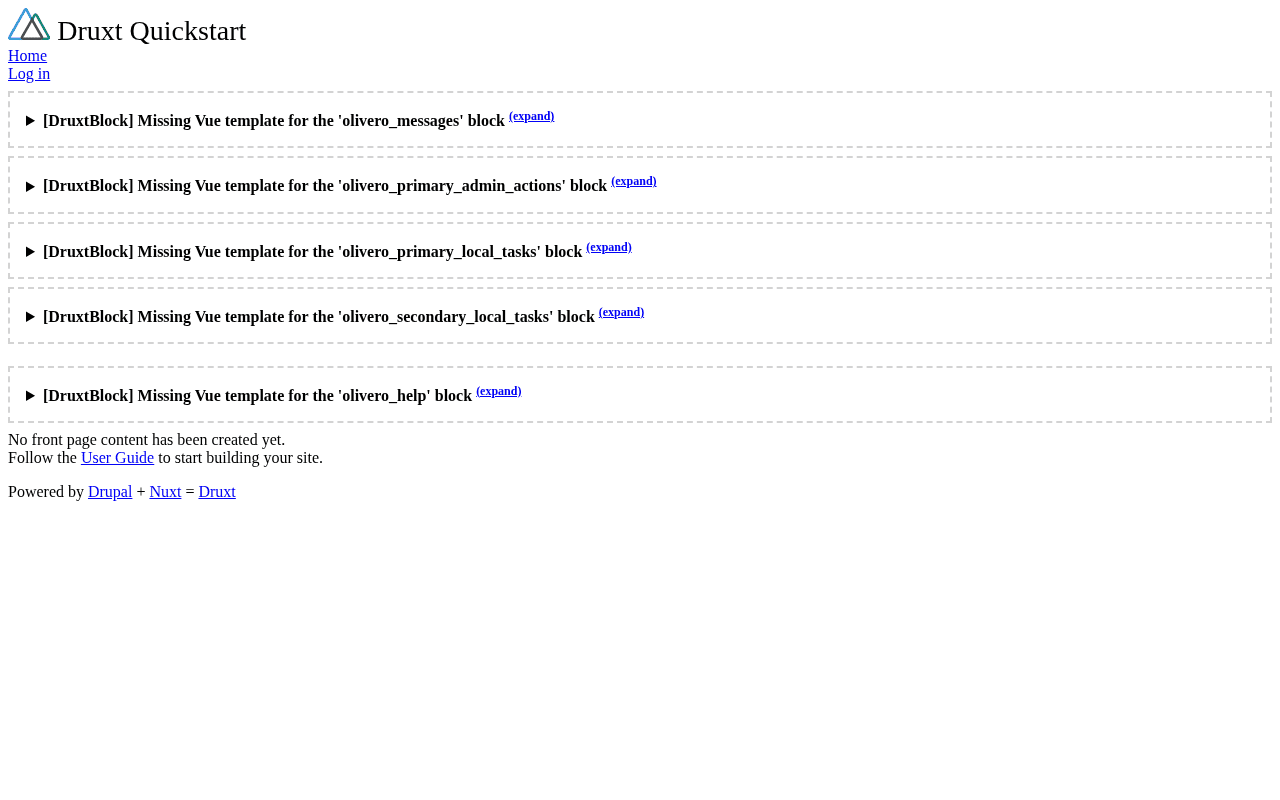
It's mostly empty because the backend has no content yet; the dashed boxes are dev-mode placeholders for blocks nothing themes, which theming explains later. That's the next step. (If you see "Welcome to Nuxt" or an error page instead, the frontend is not talking to the backend: see Troubleshooting.)
Step 4: Create your first content
Log into Drupal without touching a password:
npm run login
Outcome: the command prints a one-time login link. Open it in your browser for a Drupal admin session, logged in as the site administrator.
In the admin toolbar, go to Content → Add content → Article, give it a
title (such as Hello Druxt), and Save.
Outcome: the article page opens in Drupal, and the content list at Content shows one published article.
Step 5: See it on the frontend
Look at the URL of the article you just created in Drupal. It ends in
something like /node/1.
Now open the same path on the Nuxt frontend: http://localhost:3000/node/1
Outcome: the article title and body render, but this page was not built by Drupal's theming system. Drupal served the content as JSON:API data and Nuxt rendered it.
What you've got
A local fully decoupled site, and a set of commands to run it:
| Command | What it does |
|---|---|
npm run dev | Start both backend (if needed) and frontend |
npm run login | Open a one-time Drupal admin login |
npm run stop | Stop the local backend |
npm run reset | Re-provision a fresh throwaway backend |
npm run info | Show backend status and details |
The moving parts, in one paragraph: drupal/ is a standard Drupal 11 site
with the Drupal Druxt module installed and
the access druxt resources permission enabled. nuxt/ is a Nuxt 2 site
using the druxt-site module, which pulls layout, menus, blocks and content
from the backend. .env tells the frontend where to find the backend, and
is the only file you'd change to point the frontend at a different Drupal.
Where to go next
- Keep learning: Add a login flow, the next lesson.
- Log a user in: Add a login flow: the OAuth setup this command already provisioned, put to use.
- Put it online: Deploy your site, the deployment lesson.
- Understand the machine you just started: Architecture.
- Start customizing the look: Theme Druxt components.
- Browse what each package does: Druxt modules.
- See finished Druxt sites running in production: demo.druxtjs.org.
- Something not working the way you expect? Troubleshoot common issues.